

Skip to content
AI AutomationGet Pro

Menu

Taught by Claude Certified AI System Architects

The AI agents course.

Build and train custom agents that run your business processes.

Get it with AI Automation Pro

63 spots left at these prices

Opening soonFrom $79/month

One email when it opens. Nothing else.

Skill level
Intermediate
Length
4 acts, 28 episodes
Course type
Choose your own adventure
Projects
Hands-on, for your business
Autonomous AI Automation: the course's name on a chip at the centre of a circuit board

The program map

From a process in your business to an agent that runs it.

28 episodes in 4 acts: 3 build the skills on one real job, the last is the projects you choose.

The program mapAutonomous AI Automation

  • The course
  • Mentorship, by application
  1. A track beside the course1 on 1 mentorshipA mentor beside you from the plan to the guardrails, on a process from your own business.See it on this page
  2. Act 1Understand AI agents7 episodes

    1. Act 1, episode 00What You'll BuildWhat you will have built by the end.See it on this page
    2. Act 1, episode 01What Is an AI Agent?What an agent is, and how it differs from a chat assistant and a workflow.See it on this page
    3. Act 1, episode 02What Is an AI Harness?The system around a model: goal, context, tools, memory, permissions and a loop.See it on this page
    4. Act 1, episode 03The Five Layers of AI HarnessFive ways AI is put to work, from chat to autonomous agents.See it on this page
    5. Act 1, episode 04AI Models: Local or Cloud?Where a model runs, and what that means for privacy, cost and capability.See it on this page
    6. Act 1, episode 05How an Agent WorksHow an agent works toward a goal: observe, decide, act, repeat.See it on this page
    7. Act 1, episode 06The AI Implementation MapFive questions to plan a process before you build.See it on this page
  3. Act 2Build a custom AI agent10 episodes

    1. Act 2, episode 07Set Up Your First Local AI AgentInstall an agent, give it a folder and a first task.See it on this page
    2. Act 2, episode 08How Agents ConnectThree ways an agent reaches your apps: an API, MCP and a command line.See it on this page
    3. Act 2, episode 09Connect Your Agent to GitHubKeep your agent's work in a private repository.See it on this page
    4. Act 2, episode 10Your First JobA meeting transcript becomes a brief and tasks on your board.See it on this page
    5. Act 2, episode 11What Is a Skill?Your way of doing a task, written down for an agent.See it on this page
    6. Act 2, episode 12Turn Your Procedure Into a SkillSave the job you just ran as a skill.See it on this page
    7. Act 2, episode 13What It CostsWhat a run costs, and four habits that keep it low.See it on this page
    8. Act 2, episode 14Set Your GuardrailsEight risks, and the guardrail for each.See it on this page
    9. Act 2, episode 15How I Edit Video With AILuka's editing skill, run on a raw clip and improved.4 partsFrom manual editing to an AI skill, Install the skill and run it, Review and improve the AI edit, Edit in DaVinci Resolve with an agentSee it on this page
    10. Act 2, episode 16Becoming AutonomousWhat an agent needs before it can run on its own.See it on this page
  4. Act 3Set up an autonomous AI agent8 episodes

    1. Act 3, episode 17What Is an Autonomous Agent?An agent that takes the work, does it your way and reports back.See it on this page
    2. Act 3, episode 18How an Autonomous Agent WorksIts parts, from the model to its permissions.See it on this page
    3. Act 3, episode 19Set Up Your First Autonomous AgentSet one up on a spare computer or in a sandbox.See it on this page
    4. Act 3, episode 20Add Guardrails and a Kill SwitchWhat it may do alone, when it asks, and how you stop it.See it on this page
    5. Act 3, episode 21Connect Your AppsGive it the apps the job runs on, with only the access it needs.See it on this page
    6. Act 3, episode 22Its First Job AloneThe same job, now running without you.See it on this page
    7. Act 3, episode 23Keep It RunningMaintenance, security and running cost.See it on this page
    8. Act 3, episode 24Build Your Agent TeamSeveral agents working together.See it on this page
  5. Act 4Choose your projects4 projects

    1. Your projectschoose the ones you want
      • Your projects, a choiceResearch AnalystDelivers a competitive research brief on your market every Monday, without anyone starting it.See it on this page
      • Your projects, a choiceVideo EditorTakes raw footage to a first cut the way you edit, ready for your review.See it on this page
      • Your projects, a choiceContent EngineTurns your notes and recordings into a week of posts for your channels, drafted for your approval.See it on this page
      • Your projects, a choiceOutreach RepFinds the right prospects, writes a personal first message for each, and sends it on your approval.See it on this page
  6. The finish

    1. Act 4, with a mentorA process of your ownPick a process from your business and build the agent for it, with a mentor beside you.See it on this page
    2. The end of the pathYour agents, at workThe agents you chose, running the business processes you picked.
  1. Plan it

    Understand AI agents

    Act 1 · 7 episodes

    How agents, harnesses and models work, and where each fits in a business process.

    You leave withA plan for your agent, mapped on the AI Implementation Map.

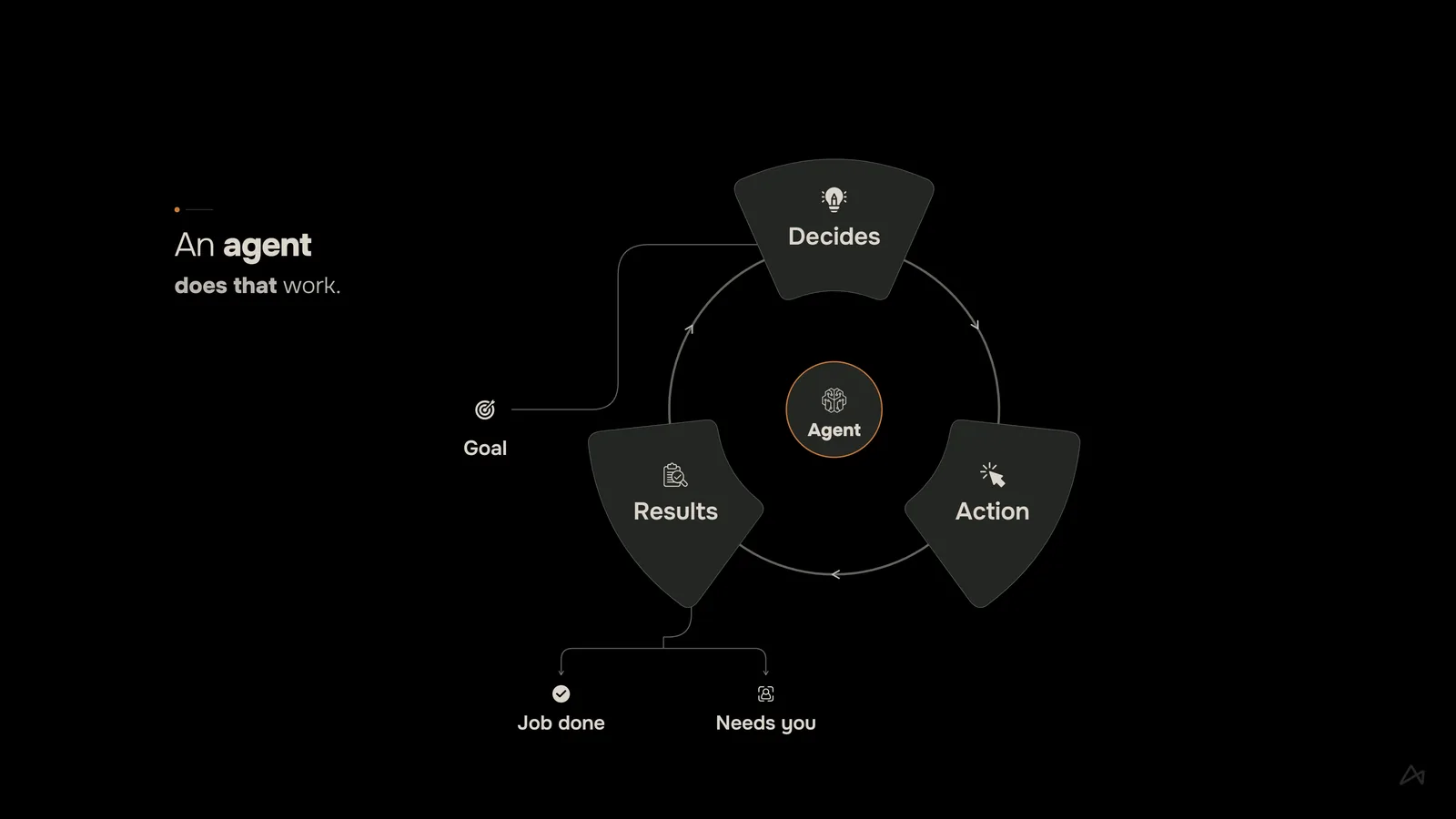
    Episode 01: an agent takes a goal, decides, acts and checks the results, until the job is done or it needs you
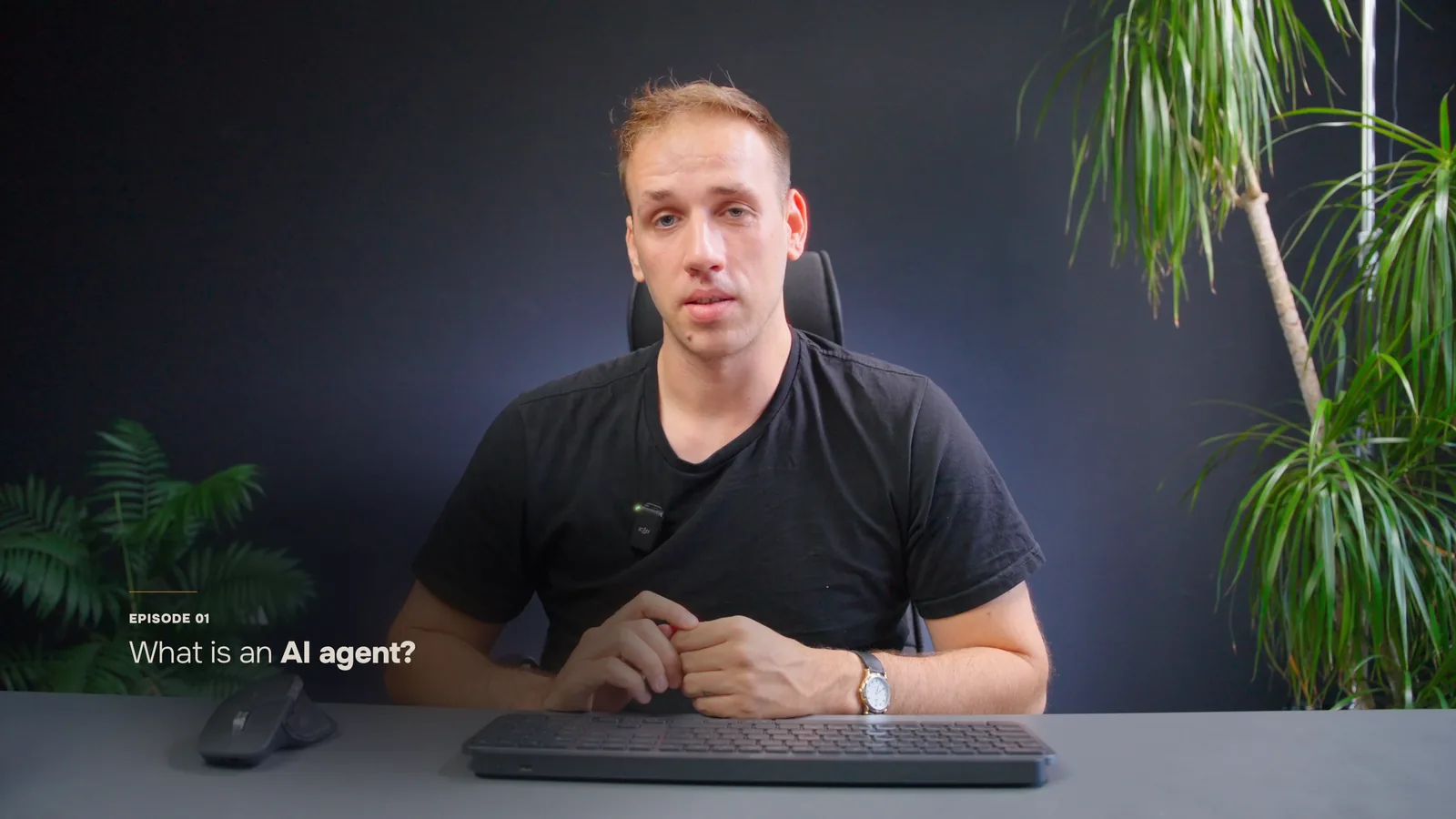
    Episode 01What Is an AI Agent?
    The 7 episodes

    What an AI agent is, the harness that runs around the model, the five layers up to an autonomous agent, local or cloud models, the agent loop, and the AI Implementation Map you plan every build with.

    1. 00What You'll Build
    2. 01What Is an AI Agent?
    3. 02What Is an AI Harness?
    4. 03The Five Layers of AI Harness
    5. 04AI Models: Local or Cloud?
    6. 05How an Agent Works
    7. 06The AI Implementation Map
  2. Build it

    Build a custom AI agent

    Act 2 · 10 episodes

    Set it up, connect it to your tools, and train it with skills, guardrails and a known cost per task.

    You leave withA custom agent on your machine, trained with a skill, on guardrails, at a known cost per run.

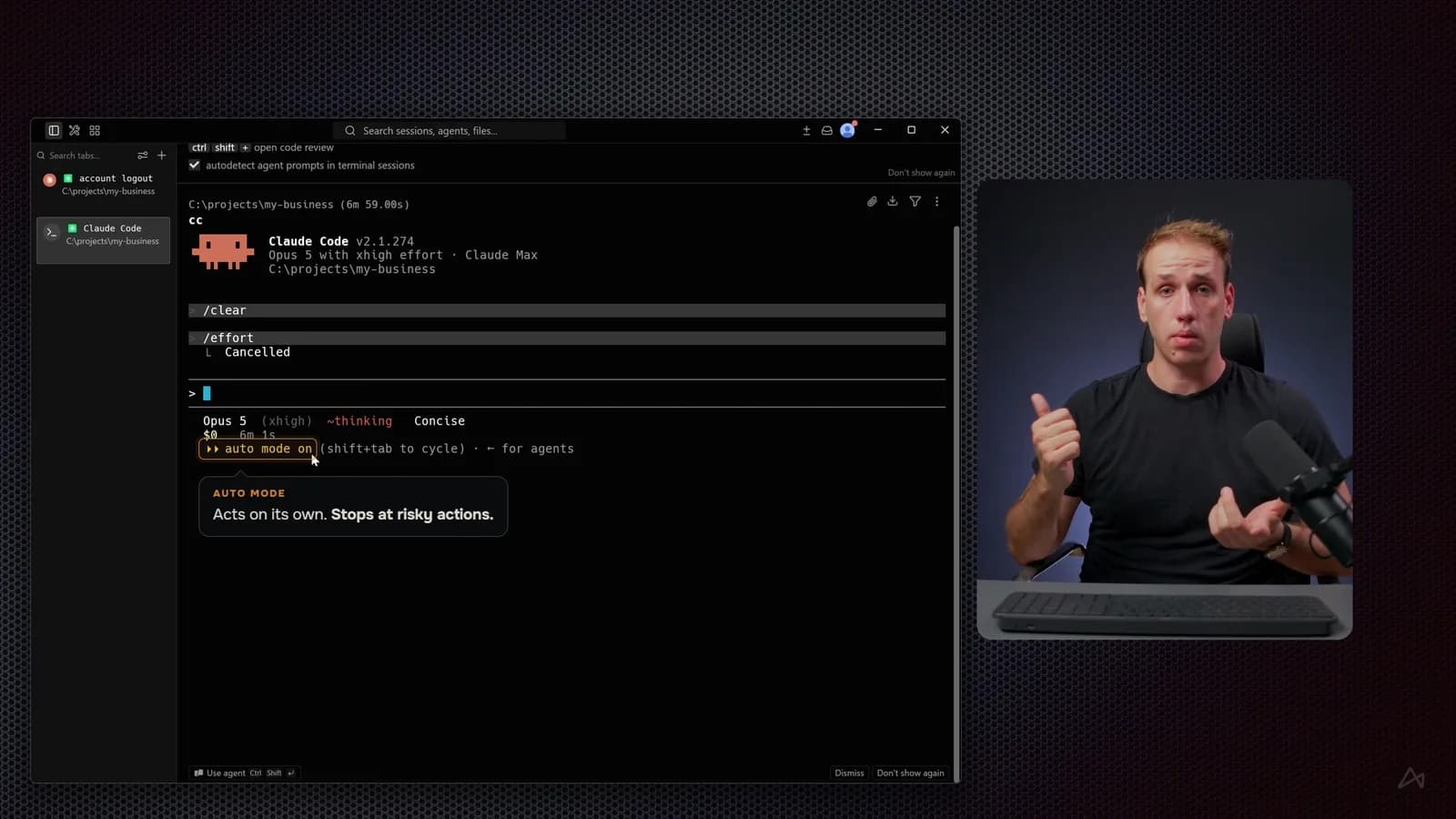
    Episode 07: Claude Code running in a project folder, with auto mode explained on screen
    Episode 07Set Up Your First Local AI Agent
    The 10 episodes

    Set up your first local agent, connect it to your apps and to GitHub, and run your first real job: a client call becomes a project brief and owned tasks on your board. Then turn that procedure into a skill, learn what each run costs and set your guardrails. The act's project is a real one: how Luka edits video with AI, in four parts.

    1. 07Set Up Your First Local AI Agent
    2. 08How Agents Connect
    3. 09Connect Your Agent to GitHub
    4. 10Your First Job
    5. 11What Is a Skill?
    6. 12Turn Your Procedure Into a Skill
    7. 13What It Costs
    8. 14Set Your Guardrails
    9. 15How I Edit Video With AI
    10. 16Becoming Autonomous
  3. Make it run

    Set up an autonomous AI agent

    Act 3 · 8 episodes

    An always-on agent, connected to your apps, that takes jobs on its own.

    You leave withAn always-on agent on its own machine, on guardrails with a kill switch, connected to your apps.

    The 8 episodes

    What an autonomous agent is and how it works. Then set up your first one, add guardrails and a kill switch, connect your apps, and let it take its first job alone. Keep it running, and build your agent team.

    1. 17What Is an Autonomous Agent?
    2. 18How an Autonomous Agent Works
    3. 19Set Up Your First Autonomous Agent
    4. 20Add Guardrails and a Kill Switch
    5. 21Connect Your Apps
    6. 22Its First Job Alone
    7. 23Keep It Running
    8. 24Build Your Agent Team
  4. Put it to work

    Choose your projects

    Act 4

    Pick the projects that fit your business, or bring a process of your own.

    You leave withThe agents you chose, running the business processes you picked.

    • Choice 1

      Research Analyst

      Delivers a competitive research brief on your market every Monday, without anyone starting it.

      RunsEvery Monday morning

      Working

      MakesThe research brief

      1. Starts on its ownDone
      2. Reads the sources you setDone
      3. Writes the research briefWorking
      4. The brief, ready for youNext

      GuardrailWorks only from the sources you set

    • Choice 2

      Video Editor

      Takes raw footage to a first cut the way you edit, ready for your review.

      RunsWhen new footage lands

      Waiting for you

      MakesA first cut

      1. Picks up the new footageDone
      2. Cuts it the way you editDone
      3. Waits for your reviewNeeds you
      4. It shipsNext

      GuardrailYou review every cut before it ships

    • Choice 3

      Content Engine

      Turns your notes and recordings into a week of posts for your channels, drafted for your approval.

      RunsEvery week

      Working

      MakesA week of posts

      1. Reads your notes and recordingsDone
      2. Drafts a week of postsWorking
      3. You Approve the draftsNext
      4. Posts to your channelsNext

      GuardrailNothing posts until you approve it

    • Choice 4

      Outreach Rep

      Finds the right prospects, writes a personal first message for each, and sends it on your approval.

      RunsEvery weekday

      Waiting for you

      MakesA message for each prospect

      1. Finds the right prospectsDone
      2. Writes a message for eachDone
      3. Waits for your approvalNeeds you
      4. Sends themNext

      GuardrailNothing sends until you approve it

    Or

    Your own processWith a mentor

    Build your own agent

    Pick a process from your business and build the agent for it, with a mentor beside you from the plan to the guardrails.

    Apply for mentorshipBy application. A short form, then a call.

    StartsWith four questions

    Yours to build

    1. How does the process start?
    2. What information does it need?
    3. What is the final outcome?
    4. Which decisions stay with you?

Program guide

Read the whole course first.

  • The cover of the Autonomous AI Automation program guide

    Autonomous AI Automation

    Autonomous AI Automation guide

    The whole course, act by act, in one PDF.

    18 pages, PDF

    We email you the guide, and course news after. Stop any time.

What you get

What you get with the course.

  • The course

    Concrete knowledge of building, training and running custom AI agents.

    28 episodes in 4 acts. Taught on camera, with every step shown on screen.

    What you walk away with

    • Custom AI agents, connected to your tools
    • Trained with skills on your procedures
    • Guardrails, permissions and cost control
    • Projects you choose for your business
  • 4 agent projects

    Build one, several, or bring a process of your own. More are added each month.

    • Research Analyst
    • Video Editor
    • Content Engine
    • Outreach Rep
  • One real job, built with you

    A client call becomes a project brief and owned tasks on your board.

  • The AI Implementation Map

    The plan you make before every build.

  • Lifetime access to the program

    Every episode, resource and update stays yours after your last payment.

  • Support on the platform

    Questions, support and discussions are on the AI Automation platform, where the course is.

  • The program guide

    The whole course, act by act, in one PDF.

Plans

Choose your plan.

Start with one course, get both with Pro, or build your own project with a mentor.

Opening soonOne course

Autonomous AI Automation

$79/month for 12 months

Then lifetime access to the course. Or pay $799 once and save $149.

Learn to build, train and run custom AI agents.

  • Custom AI agents, connected to your tools
  • Trained with skills on your procedures
  • Guardrails, permissions and cost control
  • Projects you choose for your business
Join the waitlist

One email when it opens.

RecommendedBoth courses

AI Automation Pro

$99/month for 12 months

Then lifetime access to both courses. Or pay $999 once and save $189.

63 spots left at this price

Both courses: AI workflows first, then AI agents.

  • Everything in AI Automation
  • Autonomous AI course, new episodes as they are released
  • Every future course we release
  • Agent skills and project files to download
  • Pro-only workshops
  • Priority help when you get stuck
Get AI Automation Pro

7-day refund policy.

With a mentor

Mentorship

By application

A guided 3-week program, 1 on 1.

  • Everything in AI Automation Pro
  • A mentor on your project, with feedback at every stage
  • Build your own AI automation, from your own idea
  • Lifetime access to the blueprints, resources and network
Apply for mentorship

A short form, then a call.

Luka Madzarac opening Episode 01, What Is an AI Agent?Luka MadzaracClaude Certified AI System Architect

Your instructor

Taught by Luka Madzarac.

Luka teaches the course on camera. He spent a decade producing brand film, motion design and web, then built the agent system his own studio runs on. The course builds that kind of system with you: custom agents, trained to be reliable and run real work.

  • Runs his own studio on AI agents
  • Claude Certified AI System Architect
  • Shows every step on screen

Your mentors

Meet your mentors.

Anthony and Luka mentor both courses. Mentorship is by application.

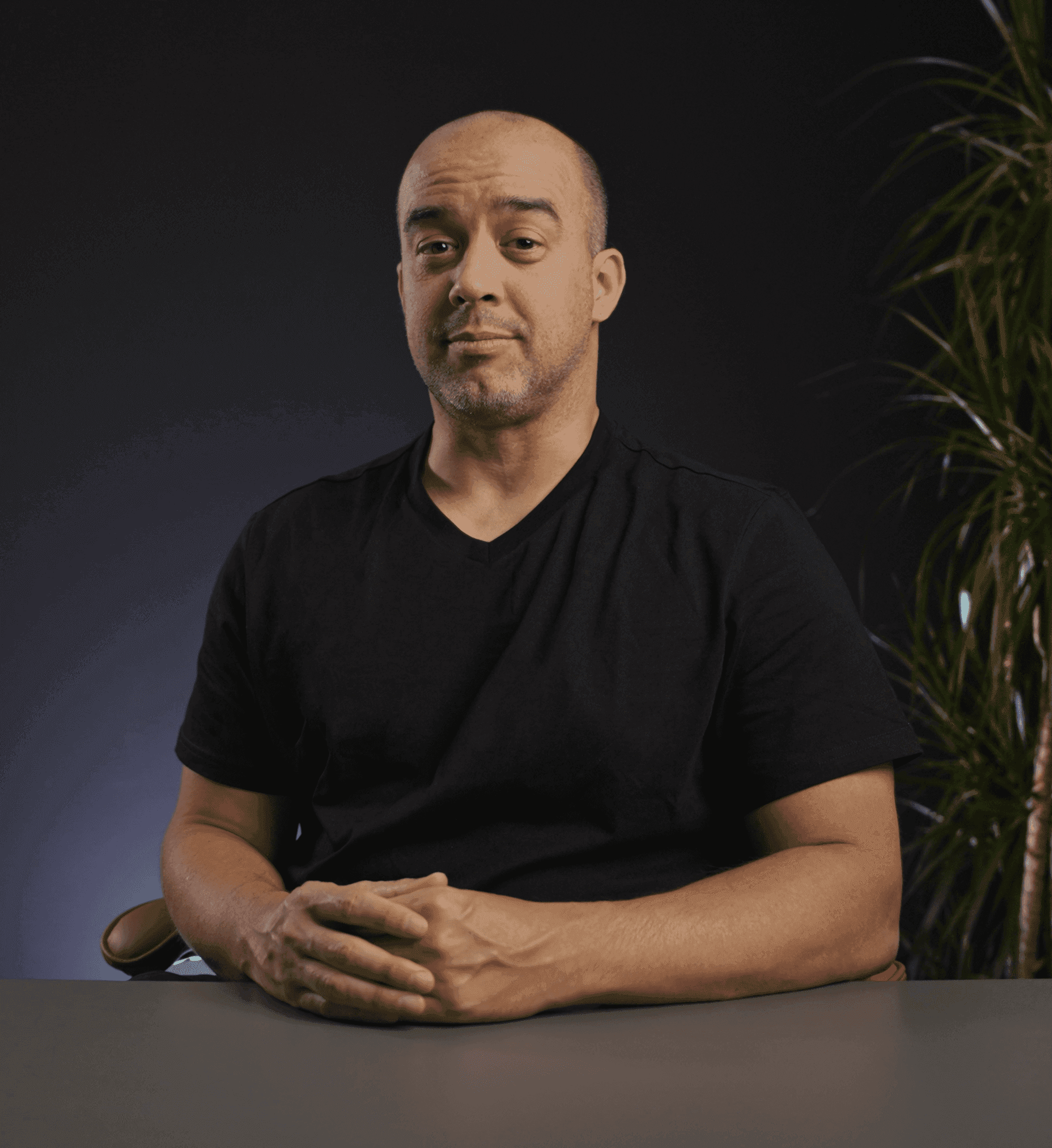
Anthony Lee, program mentorMentor

Anthony Lee

AI SEO researcher, tool builder, agency partner

From Amazon algorithm work to AI search and the tooling around it. He runs the build-along sessions and mentors the final project, from the idea to something that runs.

TeachesAI Automation

Luka Madzarac, Claude Certified AI System ArchitectMentor

Luka Madzarac

Claude Certified AI System Architect

A decade in brand film, motion design and web, then he built the agent system his own studio runs on. He mentors the creative side: production, web builds, and the agents behind them.

TeachesAutonomous AI Automation

  • It's one of the most beautiful courses I've ever experienced. The graphics The animation The resources

    Dave KatagueMultidisciplinary Creative & AI Strategist · Course student

    Dave Katague on LinkedIn (opens in a new tab)
  • Value-packed course and next-level community. Luka and Anthony go above and beyond, constantly sharing real-time tips, insights, and blueprints that are immediately useful. I'm genuinely grateful to have been part of this experience. Wishing the whole team continued success!

    Rio GonzalesHead of Operations · Course student

  • Very good program. Totally worth it the investment. It requires a lot of focus and dedication but the outcomes are very good!

    Giuseppe MiloProduct & Growth Manager · Course student

    Giuseppe Milo on LinkedIn (opens in a new tab)
  • I'd recommend this program to anyone whether they're looking to streamline their personal tasks or scale automation inside of their own business, because this program truly covers everything you need to become an automation master.

    Jamar JonesMarketing Agency Founder & CEO · Course student

  • It is an excellent community for learning AI workflow automations! The course content is high quality alongside support from the community.

    Wajeeh QSolo Entrepreneur · Course student

  • Great minds sharing innovative information as it develops in the fast developing industry of AI

    Claude Edwin TheriaultSolo Entrepreneur · Course student

    Claude Edwin Theriault on LinkedIn (opens in a new tab)

More

More about the course.

What you build

Custom AI agents you can rely on.

What you build

Custom AI agents you can rely on.

  • Custom AI agentsBuilt for one business process and connected to the tools it runs on.
  • Trained with skillsYour procedures, written once and executed the same way every time.
  • Run on guardrailsPermissions, checks and a known cost per task, so it works securely.
  • Running on their ownOn schedules, on events and always on, with you approving what matters.
What a trained agent does

Five steps of the process, handed to your agent.

What a trained agent does

Five steps of the process, handed to your agent.

A custom agent runs a business process end to end, inside the guardrails you set.

  • 01

    Picks up the work

    It starts on a schedule or an event, without anyone asking.

  • 02

    Follows your procedure

    Trained with skills, it does the job your way, every time.

  • 03

    Moves the information

    Connected to your tools, it reads the inputs and writes the results.

  • 04

    Checks the result

    Guardrails and checks run before anything leaves the process.

  • 05

    Brings you the decisions

    It stops at the points you choose and asks you to approve.

How an agent works

The loop that does the work.

How an agent works

The loop that does the work.

An agent takes a goal, decides, acts, checks, and repeats until the job is done or it needs a person.

01Observe. Decide. Act.The whole cycle is the agent loop, continuing toward the goal one turn at a time.
02The model decides. The harness acts.Context goes to the model, instructions come back, and the harness runs the tool.
03Every turn is a new request.The loop continues with the results of the last action, until the job is done.

In the course's own words, from Episode 05, How an Agent Works.

Who it is for

Built for business processes.

Who it is for

Built for business processes.

  • You run processes that repeat

    Reports, follow-ups, client work: the jobs a custom agent executes.

  • You want systems, not prompts

    Agents with skills, guardrails and known costs, built to be relied on.

  • You want what lasts

    Platform agnostic: the principles hold as models and tools change.

Where it sits

From workflows to agents that work on their own.

Where it sits

From workflows to agents that work on their own.

AI Automation teaches level one, workflows that run a process. This course takes you through the next two.

  1. Level 2

    AI agents

    An agent with your tools and procedures, taking on a real job.

    Autonomous AI AutomationThis course

  2. Level 3

    Autonomous AI agents

    Agents that run on their own while you check the results.

    Autonomous AI AutomationThis course

FAQ

Questions before you start.

Opening soonFrom $79/month

Join the waitlist
Get AI Automation Pro

Both courses in one plan. From $99/month.

Do I need to code?

No. Every step is shown on screen, and terminals, agents and skills come up only after you have seen what each one is for.

Which tools and platforms do you teach?

Platform agnostic. Models and tools change every few months; how an agent works, how to give it skills, guardrails and a schedule, and how to run it reliably do not. You learn the parts that last, shown today on Claude Code.

Can I choose what I build?

Yes. Acts 1 to 3 build the skills on one real job. In Act 4 you choose your projects: a Research Analyst, a Video Editor, a Content Engine, an Outreach Rep, or a process from your own business. New projects are added each month.

When does it open?

It opens to the waitlist first. Join it and you hear the moment it does. AI Automation Pro members get each episode as it is released.

How is it different from AI Automation?

AI Automation teaches you to build AI workflows for business processes on no-code tools. Autonomous AI Automation teaches you to build custom AI agents, train them to execute reliably and cost-effectively, and run them on their own.

Autonomous AI Automation

Be first when it opens.

Join the waitlist, or get each episode as it is released with AI Automation Pro.

  • Custom AI agents, connected to your tools
  • Trained with skills on your procedures
  • Guardrails, permissions and cost control
  • Projects you choose for your business

Autonomous AI Automation

Opening soonFrom $79/month

One email when it opens. Nothing else.

Get AI Automation Pro

Both courses in one plan. From $99/month.

Want to read first? Get the program guide by email.

We email you the guide, and course news after. Stop any time.

What lifetime access covers

  • All resources and program assetsEvery episode and project in the course.
  • Updates to the courseWhat we add to it or improve in it is yours too.
  • Support on the platformAsk your questions where the course and the community are, for as long as we offer them.
Opening soonJoin the waitlist
Get Pro